




July 5, 2026
A look at the new Enhanced Control Panel

Head of Marketing
.png)
Have you heard the news?
Ascent Cloud has officially rolled out the Enhanced Control Panel (ECP) for Geopointe, delivering a cleaner, more intuitive interface that maximizes map visibility and streamlines navigation. While the look and feel have been modernized, the core workflows Geopointe users rely on every day remain unchanged.
Alongside the visual enhancements, the ECP is built on a more stable technical foundation that improves performance and long-term maintainability. Explore the screenshots below to see how the new design helps users spend less time managing the interface and more time acting on the essential location intelligence Geopointe provides.
Note: This list is not exhaustive. Instead, it provides a hand-picked selection of features that showcase a range of views available with Geopointe's new appearance.
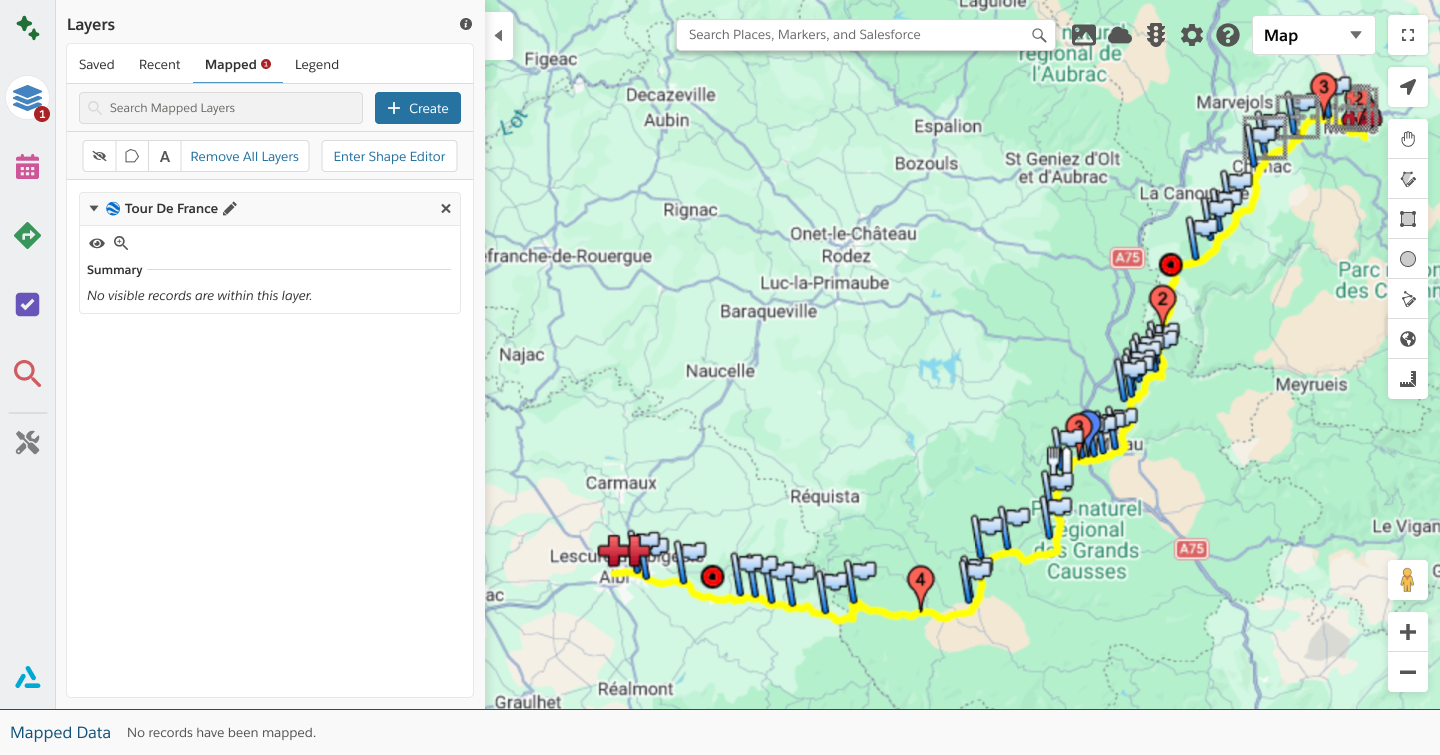
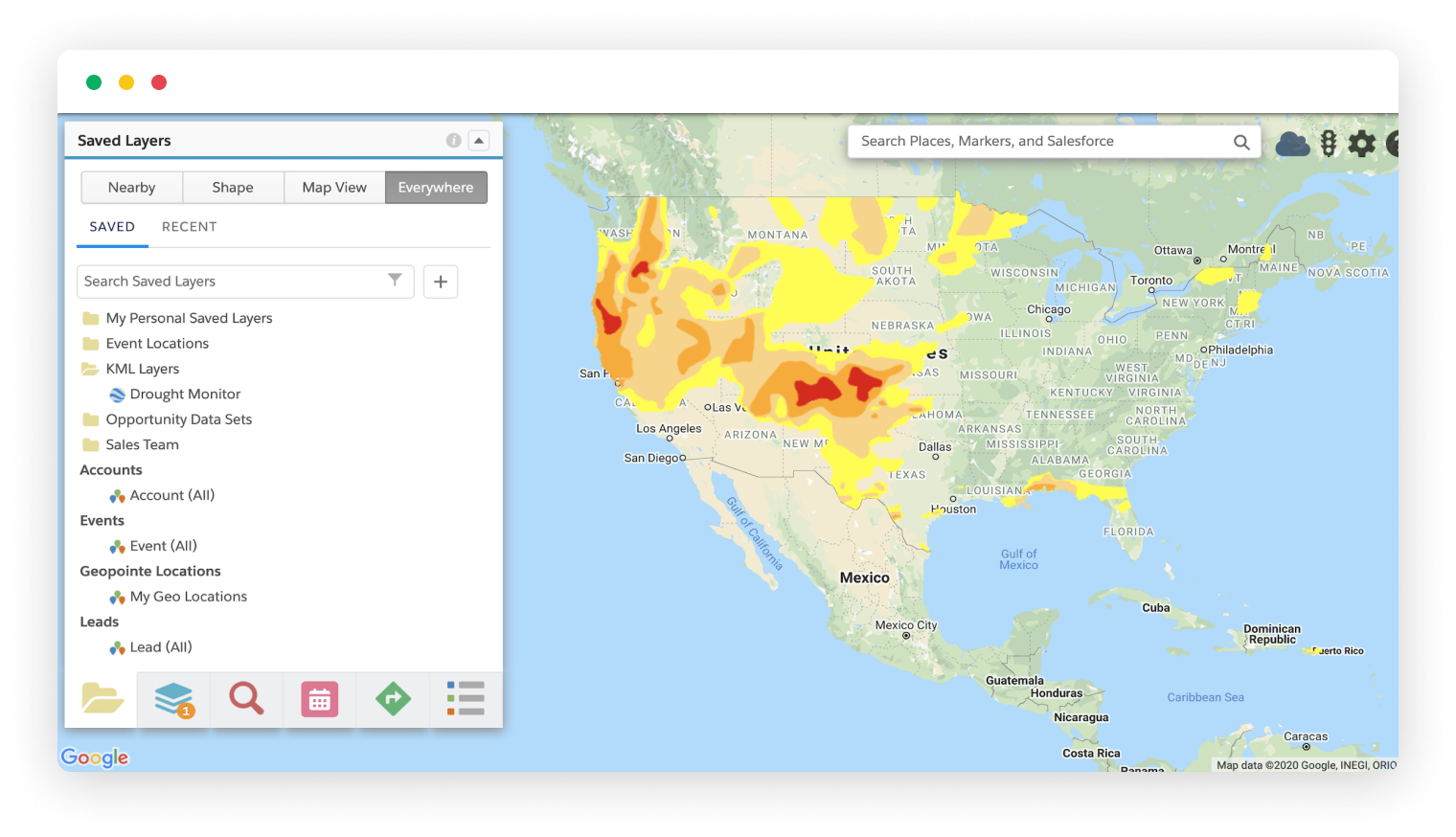
KML Layers
KML Layers let users overlay external geographic data (such as sales territories, franchise boundaries, utility zones, or market regions) directly on the Geopointe map. KML Layers place Salesforce records in the context of real-world boundaries and third-party datasets.
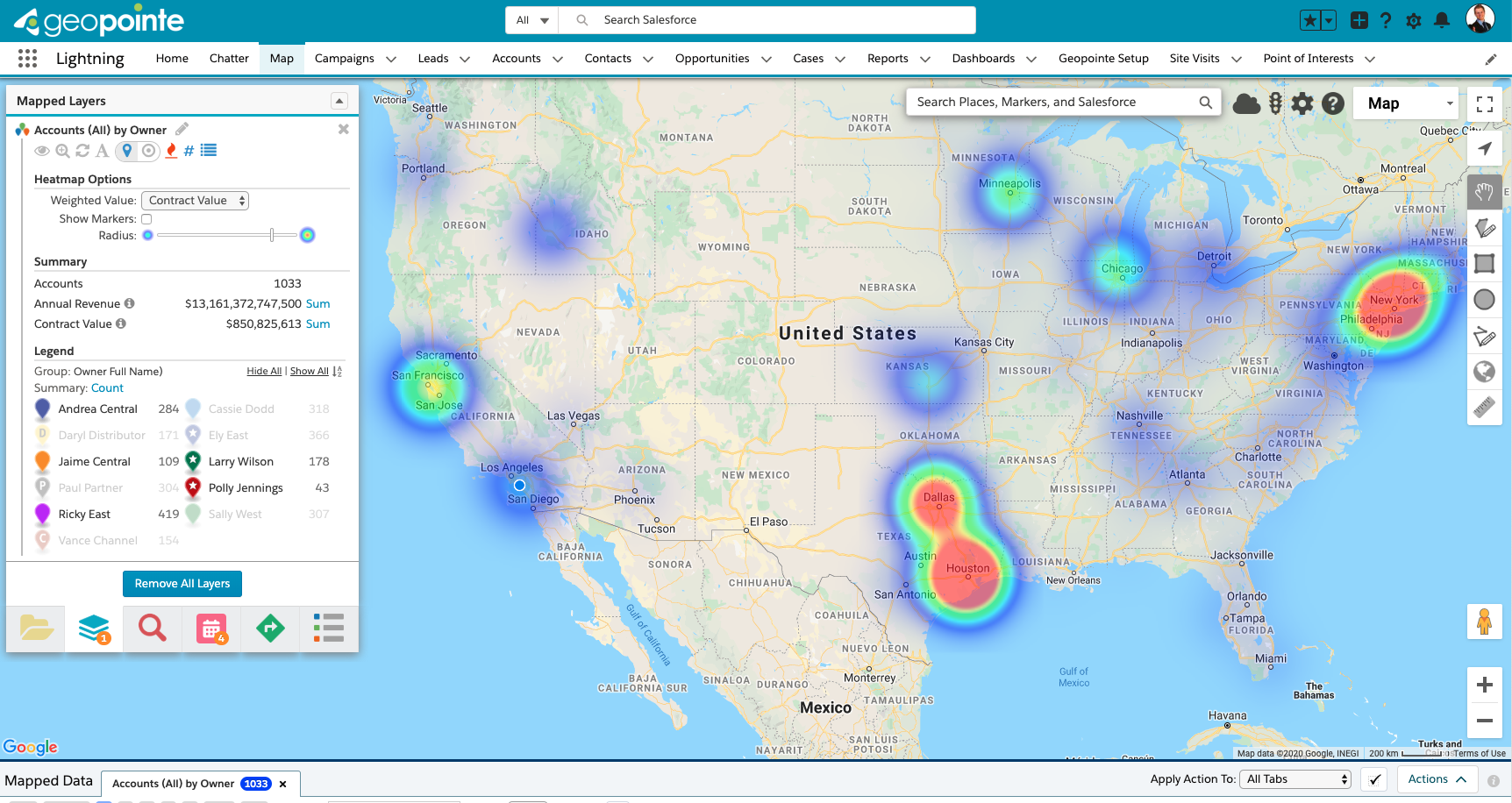
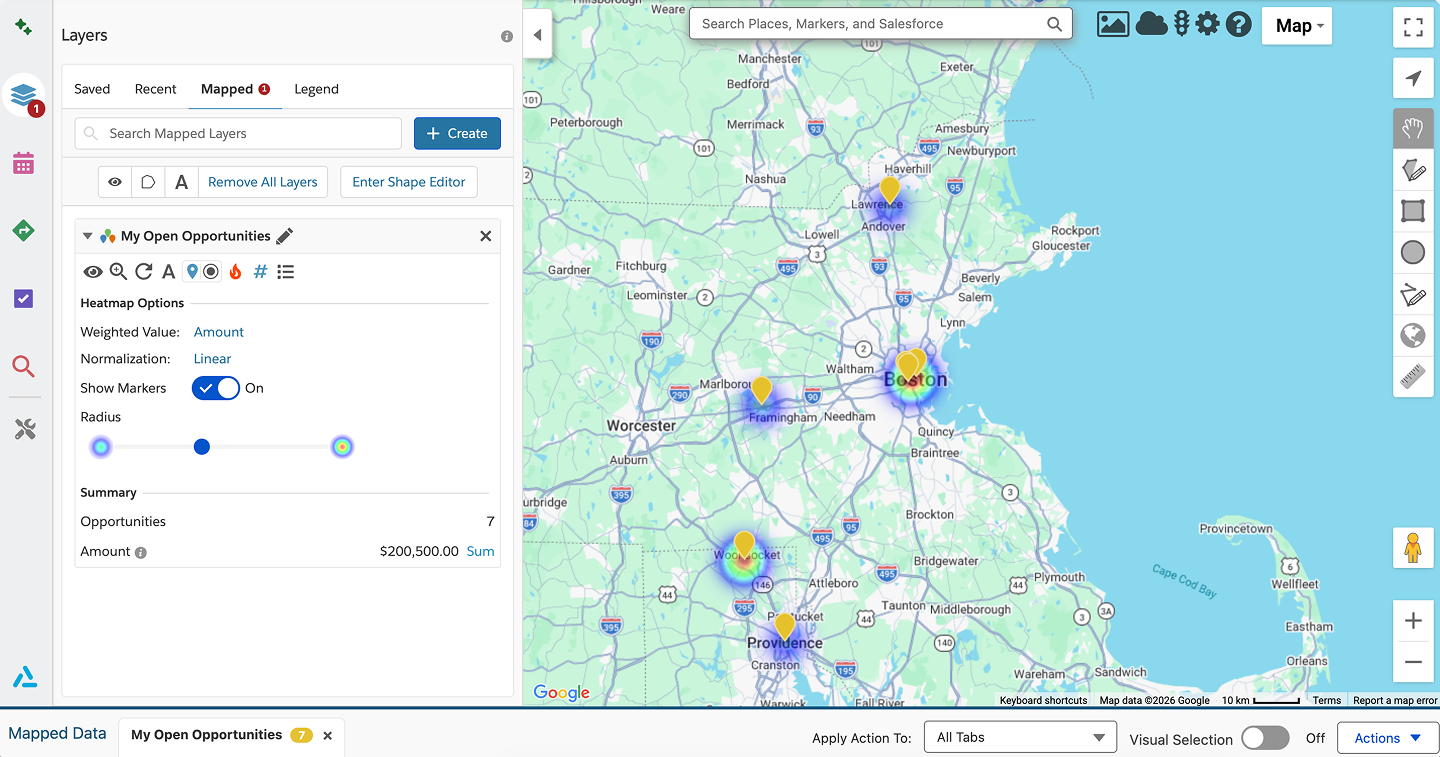
Heatmapping
Heatmaps transform large volumes of location data into a visual density layer, helping users quickly identify trends and opportunities. Heatmaps make it easier to focus field efforts where they will have the greatest revenue impact.
Thematic Layers
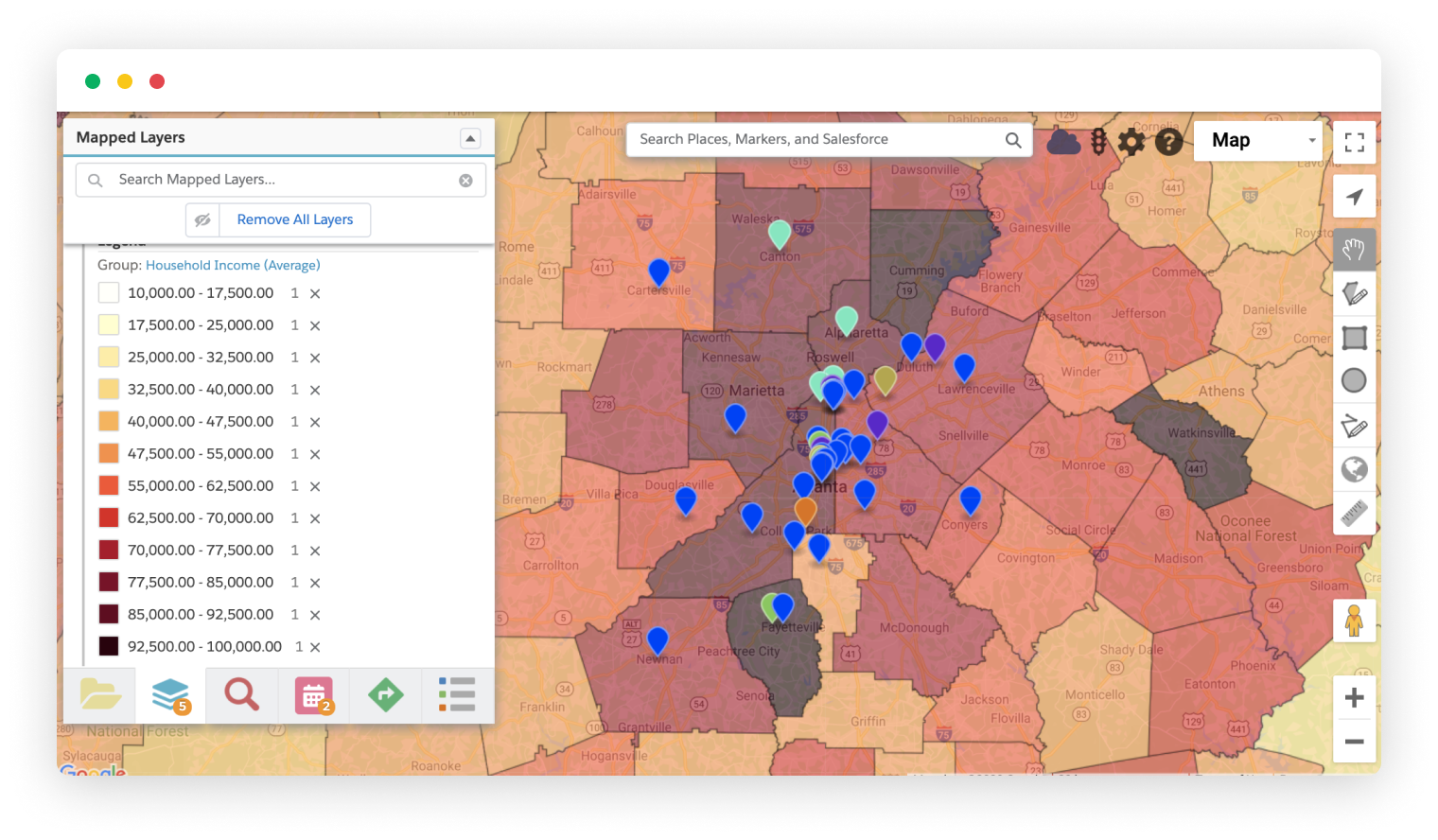
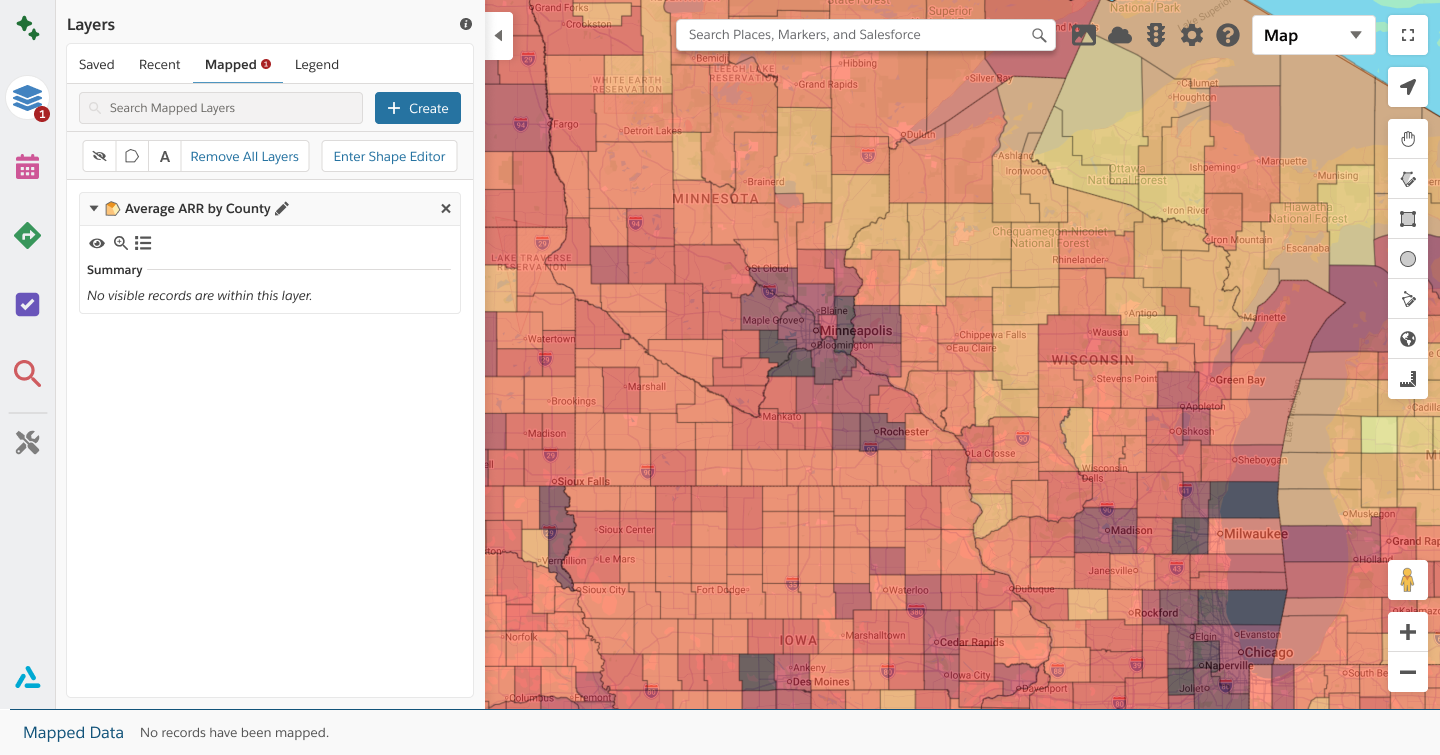
Thematic Layers display business metrics geographically by coloring regions based on Salesforce data such as revenue, account volume, opportunity value, or activity levels. This allows teams to compare performance across territories and spot trends that may be hidden in reports.
Shape Library
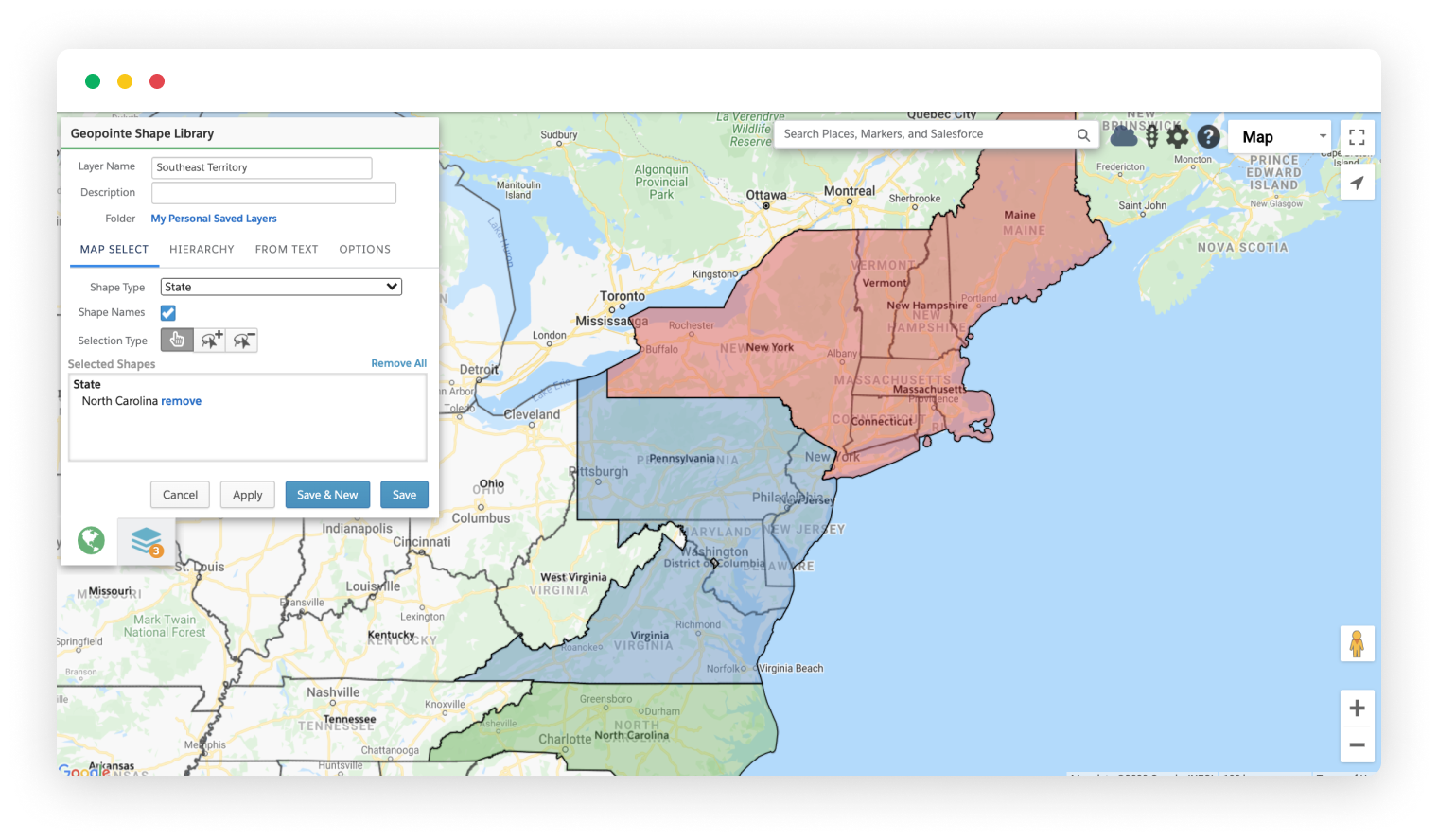
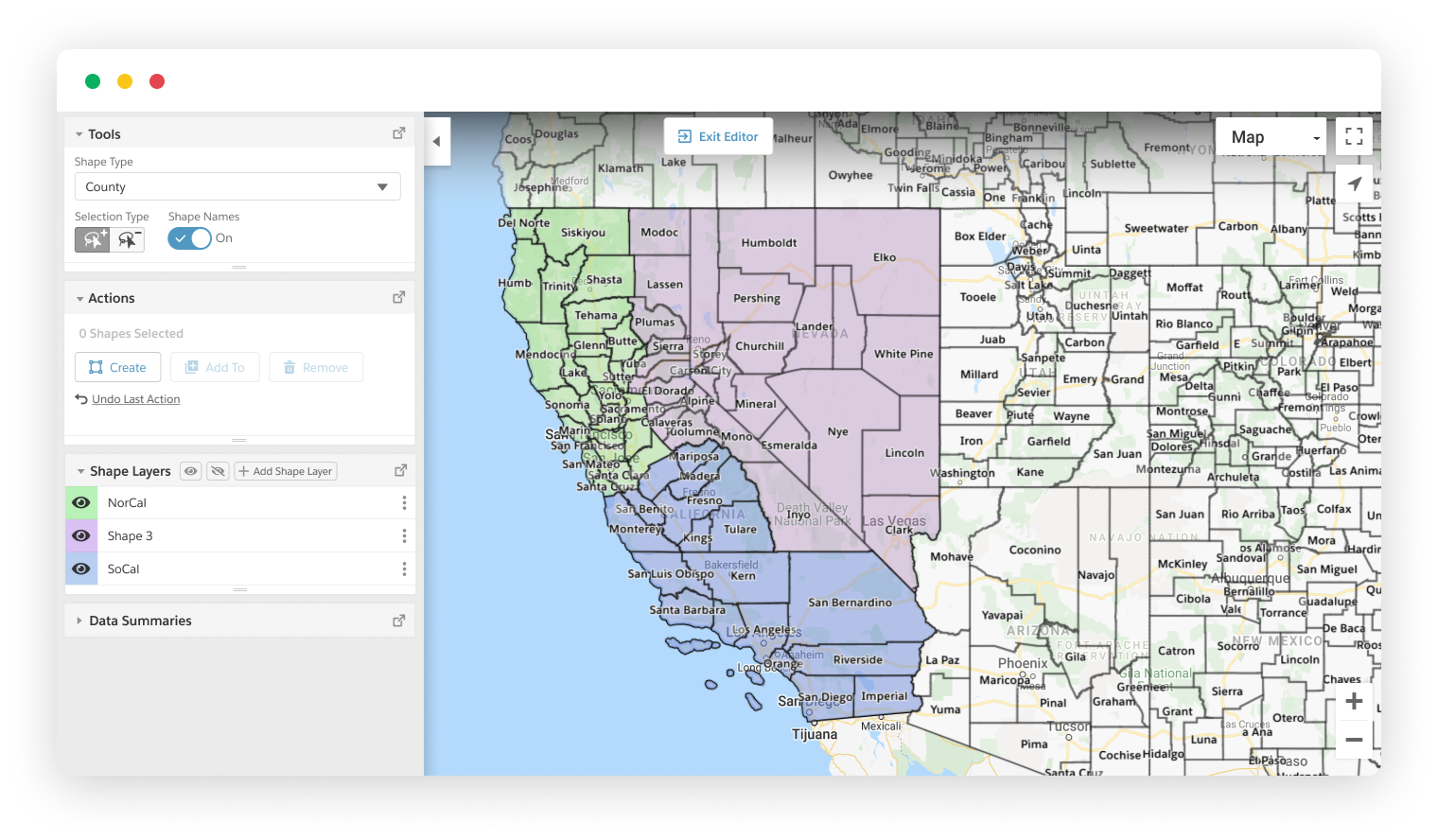
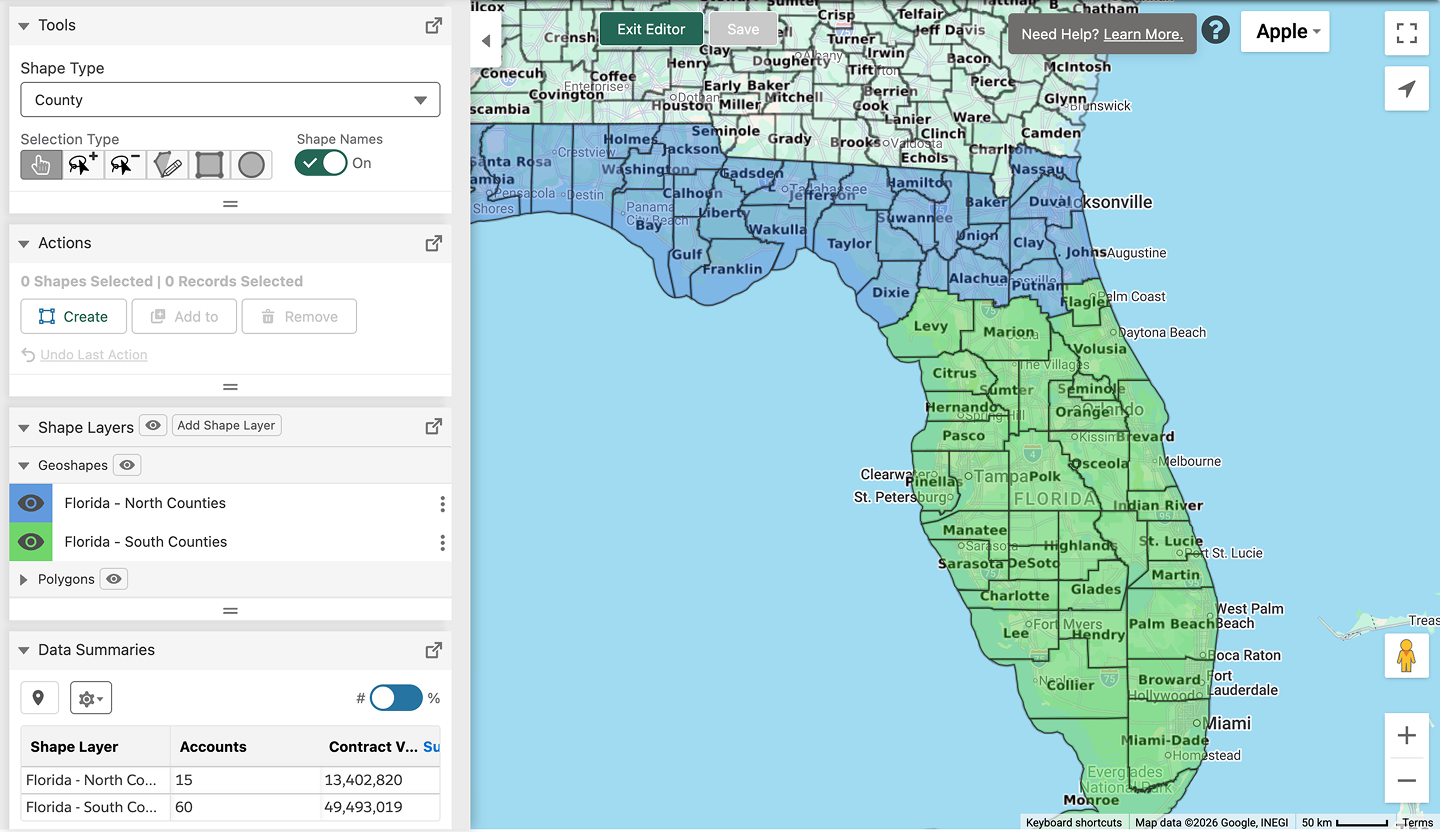
Shapes are used to store and manage reusable geographic territories, trade areas, and coverage zones in a centralized location. Geopointe's Shape Library allows teams to quickly apply consistent geographic boundaries across planning, reporting, and field operations.
Shape Editor
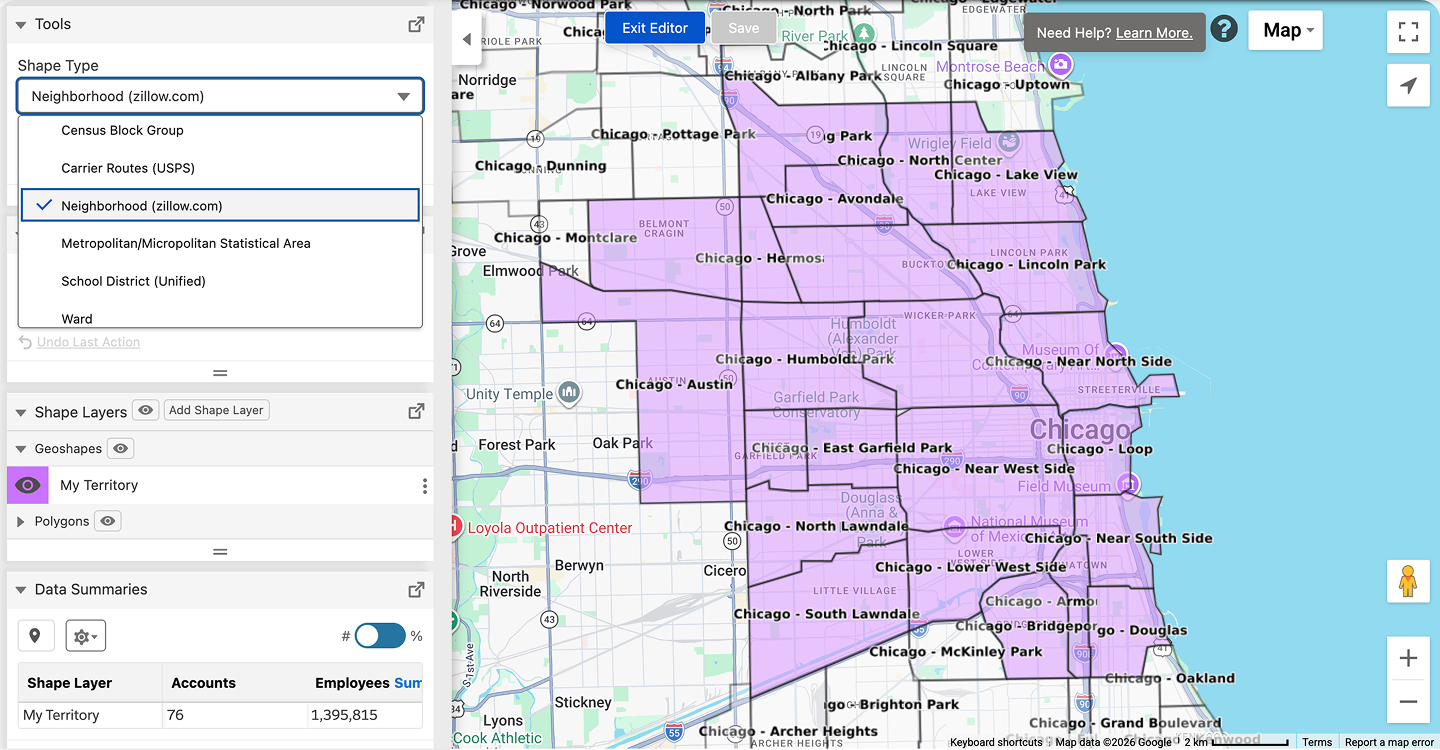
The Shape Editor allows teams to create, modify, and fine-tune custom territories directly on the map. Whether defining sales regions, service areas, or account coverage zones, Shape Editor gives teams complete control over geographic boundaries.
Calendar-Based Scheduling
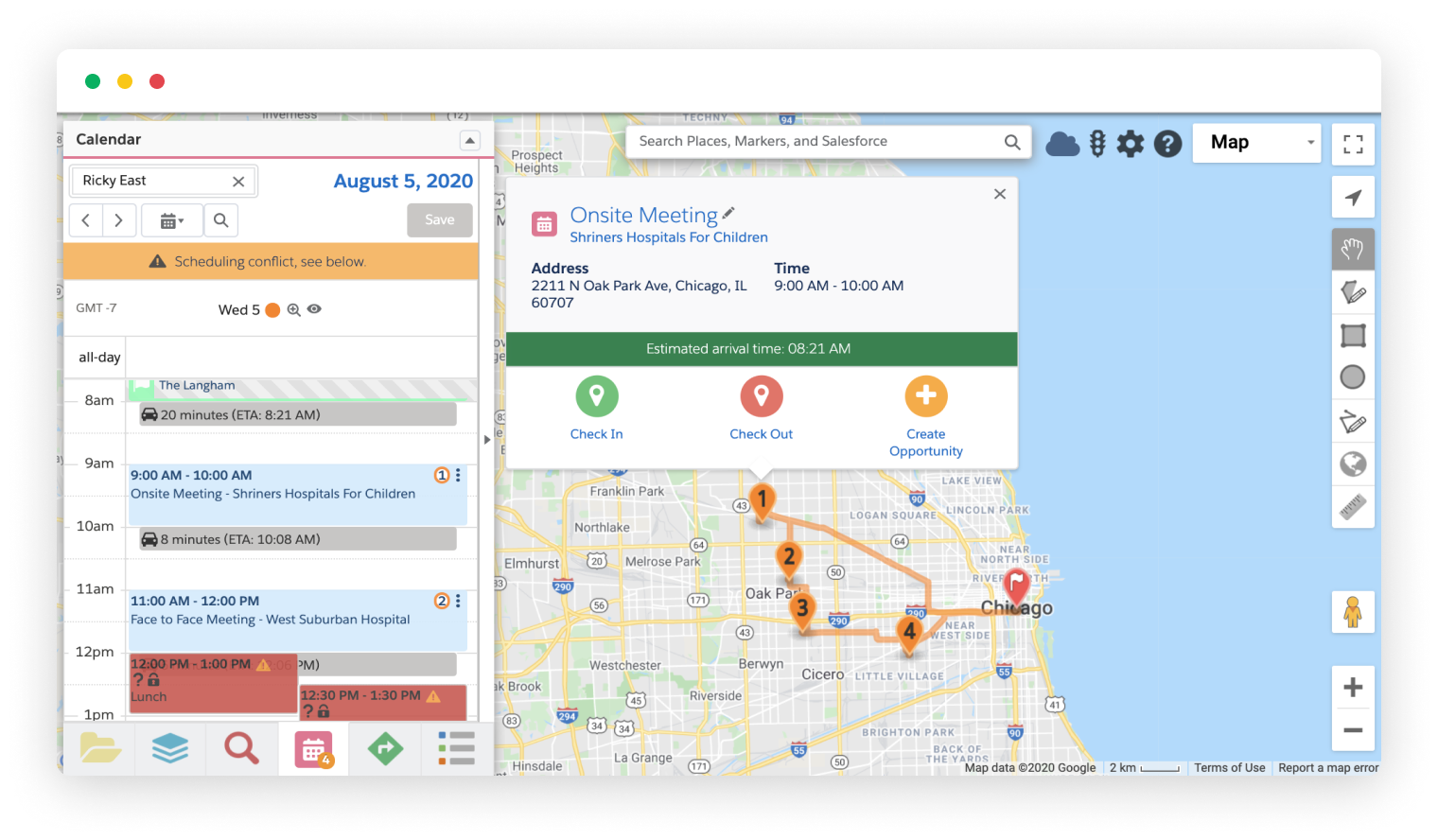
Calendar-Based Scheduling enables users to plan customer visits and field activities around existing calendar commitments while minimizing travel time. Users can build more efficient daily schedules without leaving the Geopointe map experience.
Routing Optimization
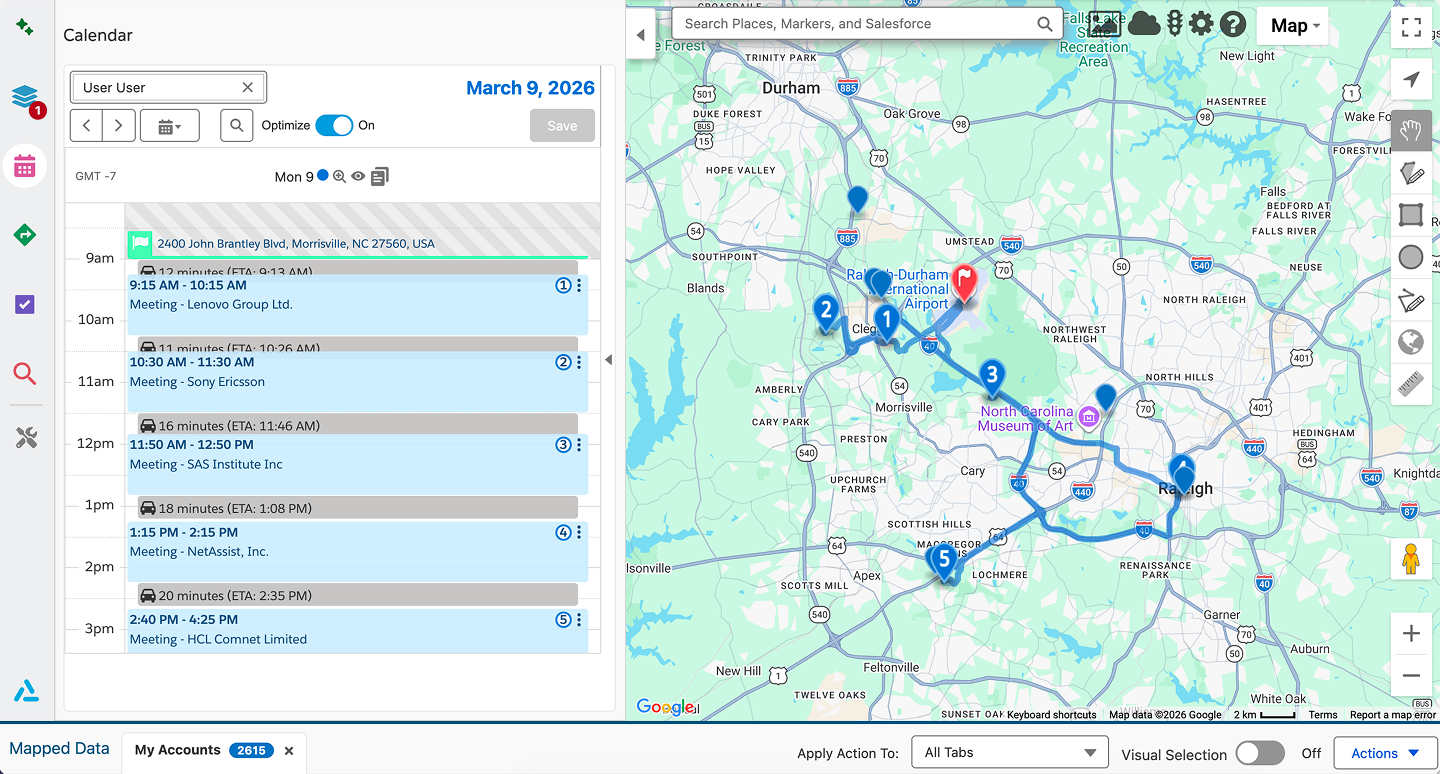
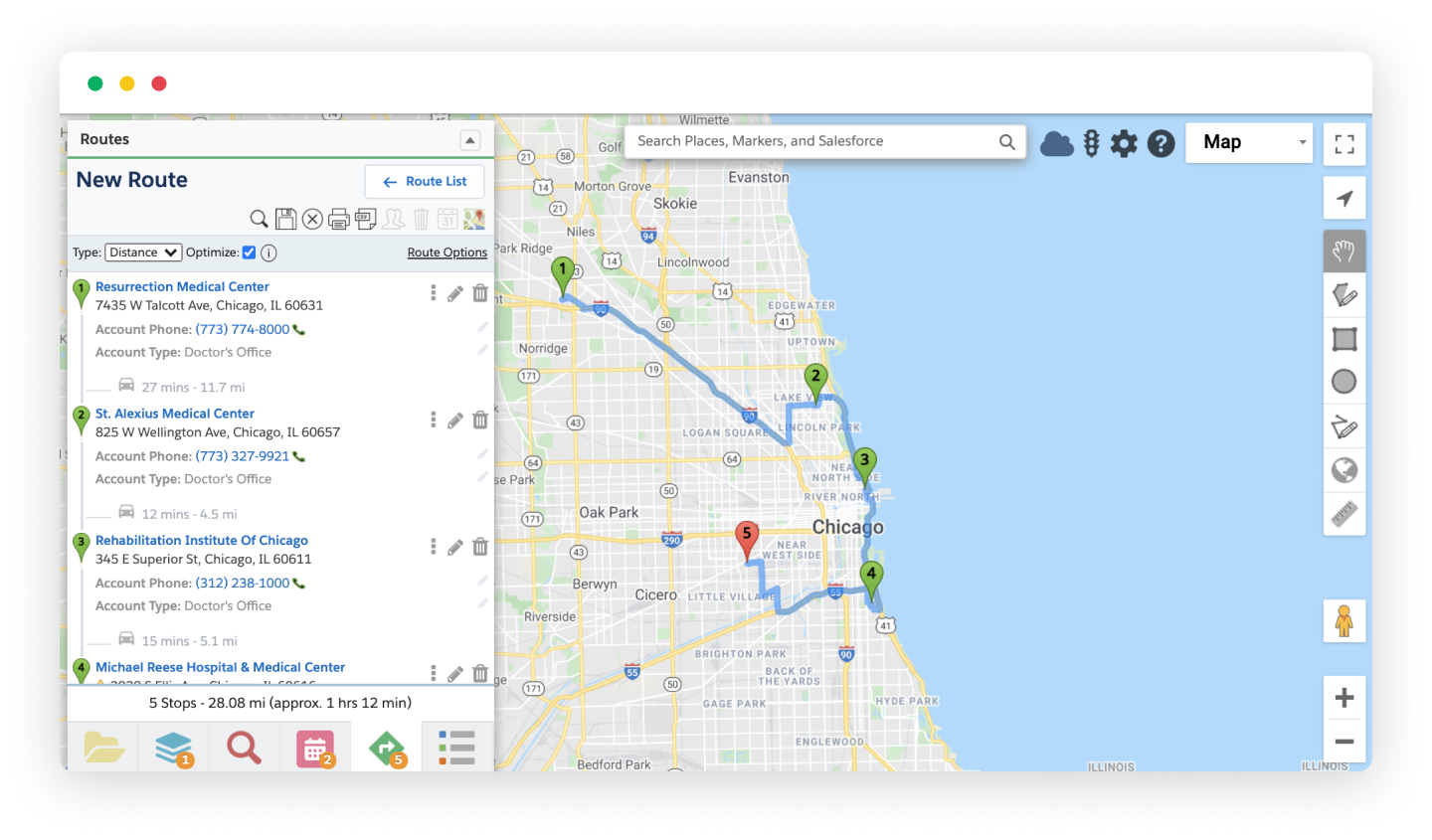
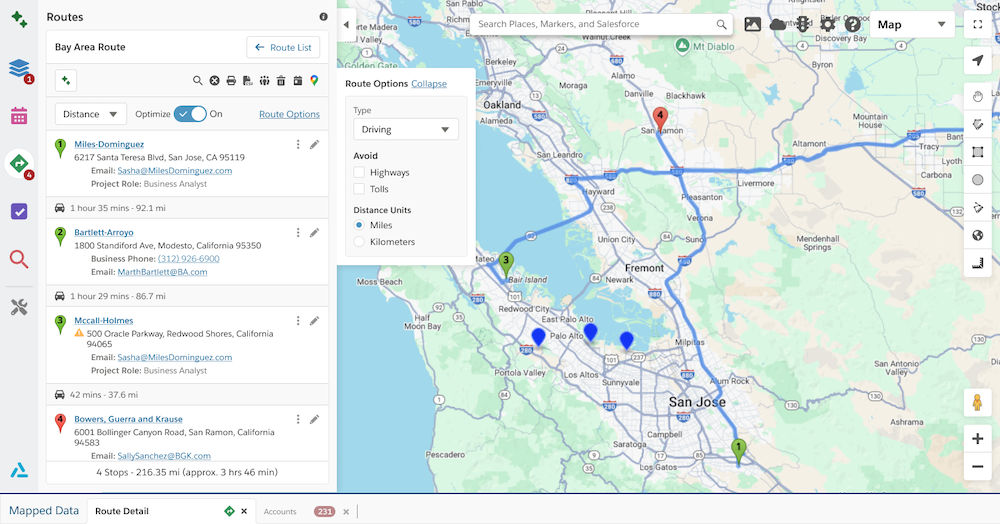
With Routing Optimization, users can generate the most efficient sequence of customer visits based on location, travel time, and appointment schedules. Routing Optimization helps field teams spend less time driving and more time meeting with customers.
As of July 5, 2026, the Enhanced Control Panel is now live for all customers. If you have questions, contact your Customer Success Manager or support@ascentcloud.io.