


.png)



.png)



Calendar-Based Scheduling
Plan schedules geographically so meetings flow logically and travel time stays under control.
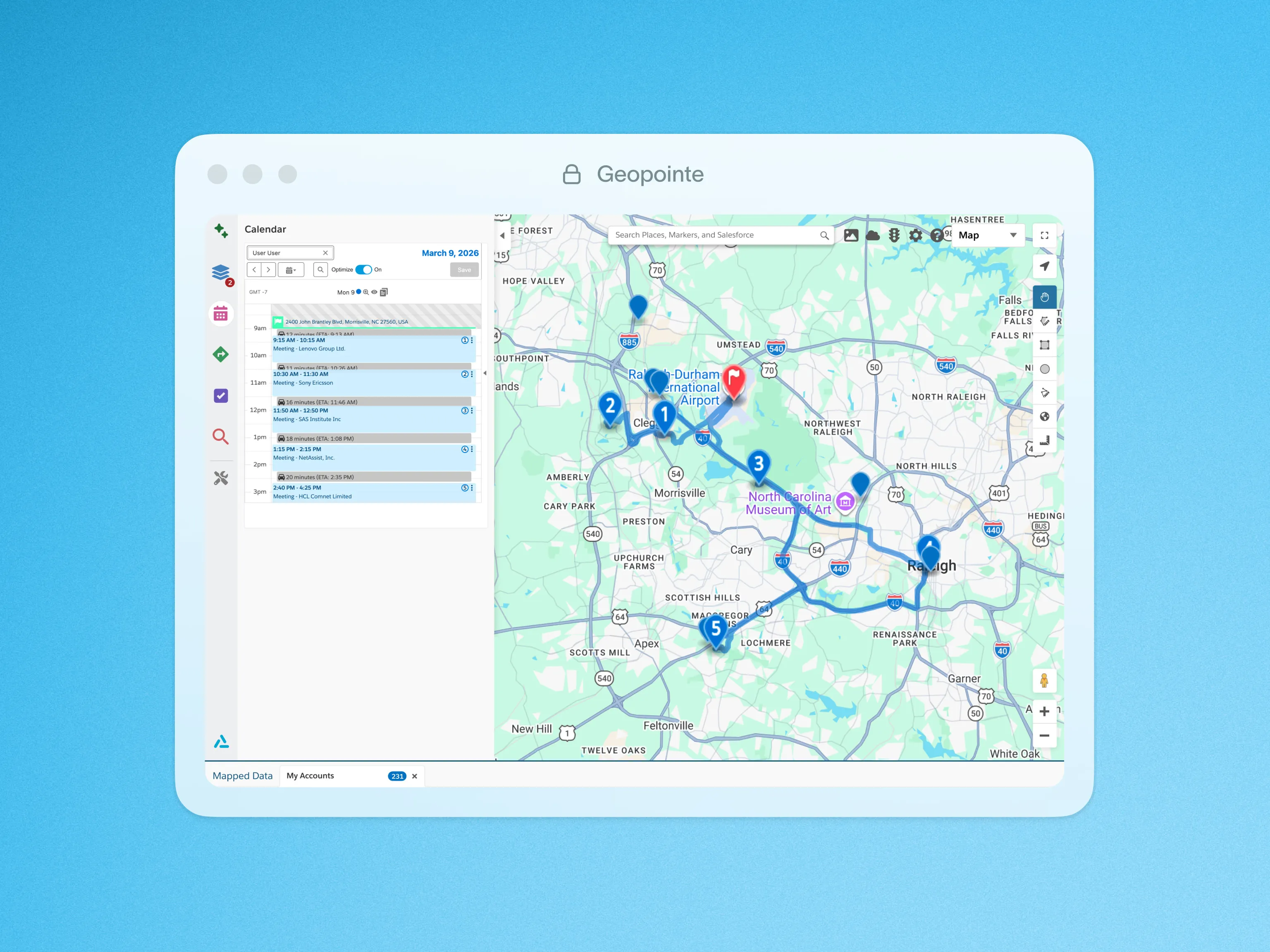
Manage any user’s schedule with geographic insight using Geopointe’s dynamic Calendar-Based Scheduling interface. This feature lets you visualize scheduled travel plans and update events or appointments right from the map.
Streamline Your Scheduling Process
Benefit from the flexibility and insight of Calendar-Based Scheduling in these ways:
- Use location insight to plan appointments for yourself or an entire team
- Set default working hours and get alerts when appointments conflict
- Fill schedule gaps with multiple new appointments at once from the map
- Get a geographic perspective of your calendar by day, week, or month
- View multiple team member calendars to schedule appointments on their behalf
Quick Setup
Admins can set up Calendar-Based Scheduling with a few easy steps using the Event object or any other Salesforce object. Calendar updates automatically write back to your Salesforce environment so you can seamlessly manage your team’s service visits, deliveries, and other appointments.
Click below for a quick look at Calendar-Based Scheduling in action.

.webp)




