


.png)



.png)



Shape Editor
Visually build territories using the Geopointe Shape Library, and use geographic insight to manage them.
Streamline Territory Management and Design
Visually build territories using the Geopointe Shape Library, then use geographic and data insight to fine-tune and manage them.
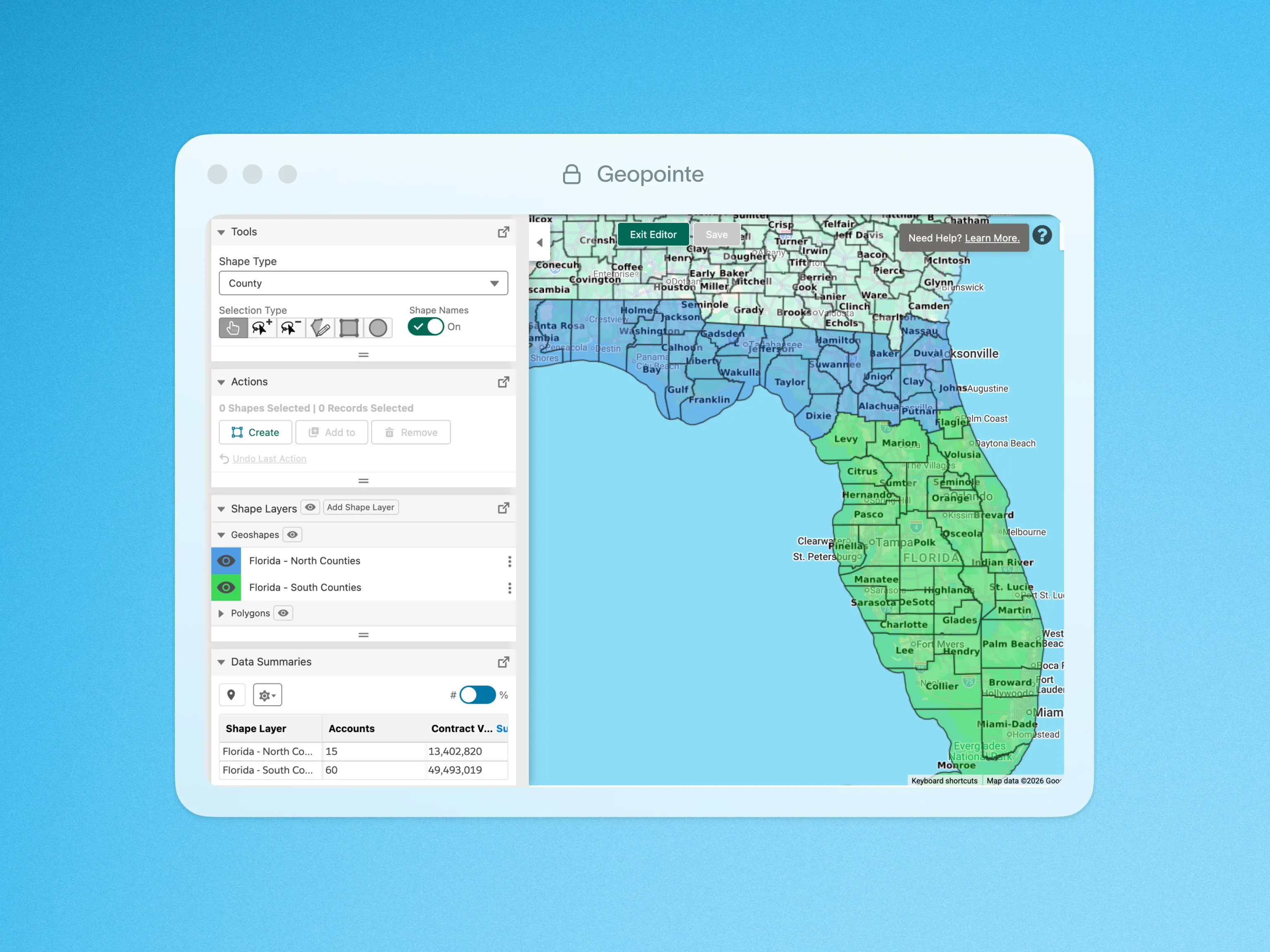
With the Shape Editor, you can create contiguous territories by selecting or lassoing boundaries on the Map. It’s easy to add other territory shapes to the Map so you can compare them and make sure they are aligned. You can cross-analyze performance and resource needs across all territories, then move sub-shapes from one territory to another when adjustments are needed.
Take advantage of these capabilities:
- Build territories from a library of sub-shapes, including states, zip codes, metro areas and more
- Compare Data Set summaries of record count, ratios and numeric field values
- Align your territories and develop a plan to allocate your resources
- View and edit multiple shapes at a time
This is a great replacement tool for Microsoft MapPoint users.
Visit our customer support site to learn more about Shape Editor.
Click below for a quick look at Shape Editor in action.

.webp)




