.png)



.png)



Thematic Maps
Use color-coded overlays to quickly identify trends, gaps, and opportunities across regions.
Oops! Something went wrong while submitting the form.
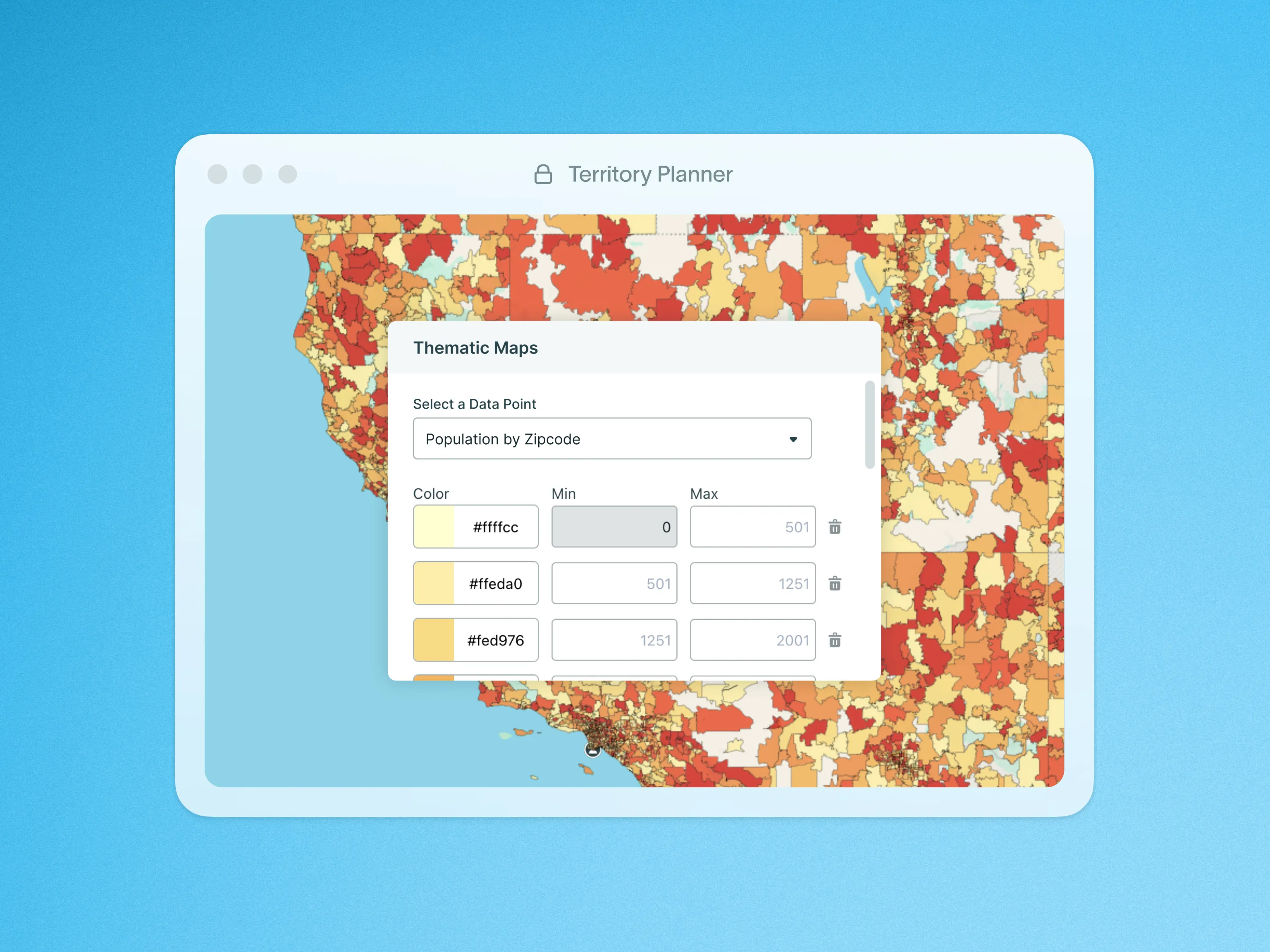
Data tells a story—but raw numbers on a spreadsheet don’t always make that story clear. Thematic Maps in Territory Planner bring your data to life with color-coded overlays, making it easy to spot trends, compare regions, and make smarter territory decisions.
Understanding where your key data points are concentrated is just as important as knowing what they are. With Thematic Maps, you can:
- See data distributions at a glance using color-coded layers.
- Compare shape-based data (like population or income levels) against your territories.
- Identify high- and low-density areas to refine your territory planning strategy.
How It Works
Today, Thematic Maps in Territory Planner work exclusively with Supplemental Data, allowing you to overlay shape-based data on your model for a clearer geographic perspective.
- Choose a Supplemental Data Source from the Thematic Overlay tab.
- Toggle ON Show Thematic Overlay to apply the color-coded visualization.
- Customize the overlay by:
- Selecting a numeric field to define value representation.
- Adjusting color sets, opacity, and bucket values to control the visual display.
- Save your configurations for future use, so you can quickly reapply overlays as needed.
To learn more about Data Visualization on Thematic Maps, visit our help site.

Features