.png)



.png)



Clone Models
Duplicate territory models in a few clicks to iterate faster and preserve a clean baseline.
Oops! Something went wrong while submitting the form.
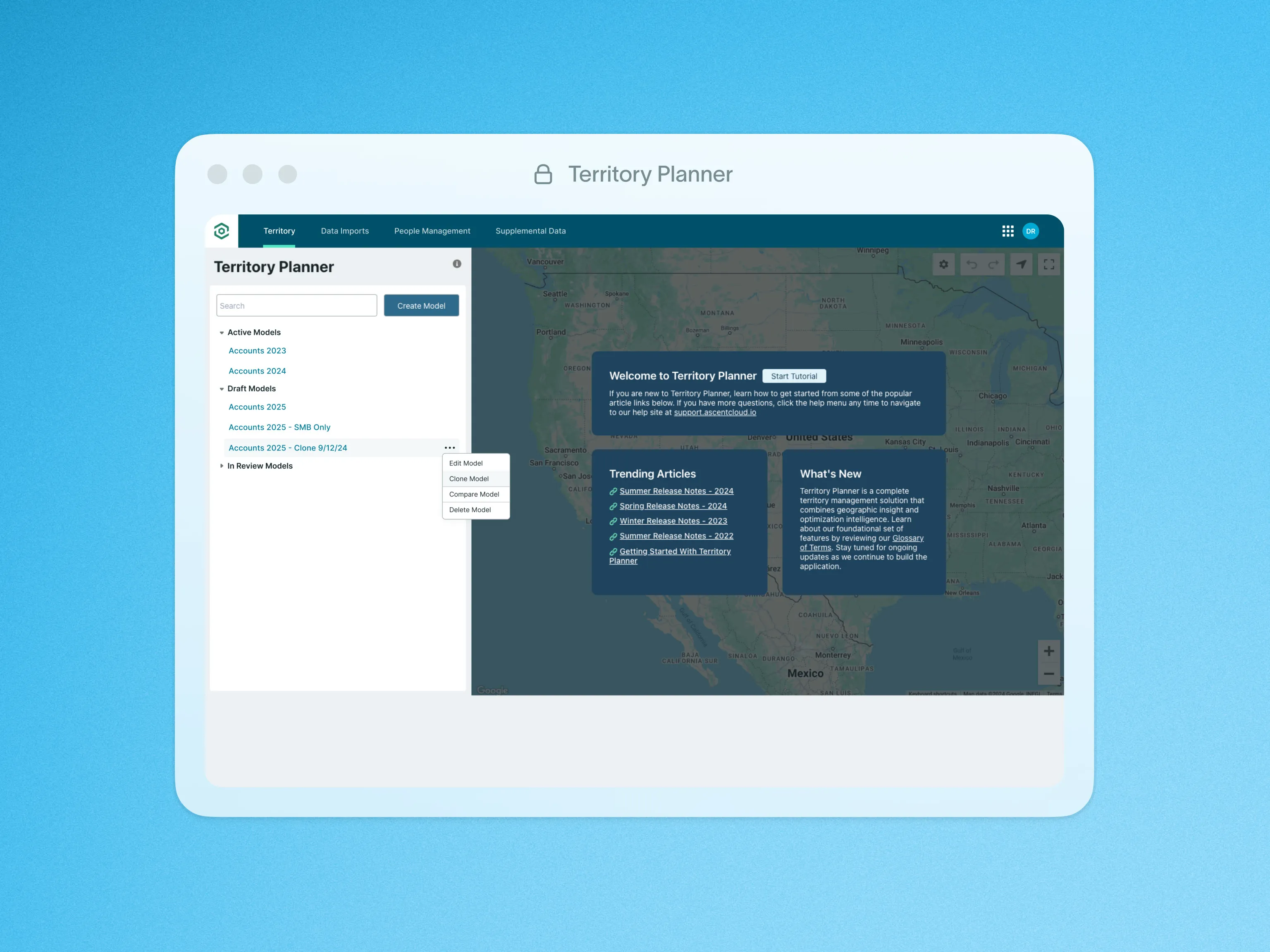
The Clone Territory Model feature makes it easier than ever to replicate and build upon your territory models with just a few clicks.
With the Clone Model action, you can seamlessly carry over settings and configurations from an existing model to a new one. This eliminates the need to manually recreate settings, saving you valuable time and ensuring consistency across different models.
To learn more about the Clone Territory Model feature and upcoming enhancements, visit our help site.

Features