.png)



.png)



Point of Interest Optimization
Design territories around key locations to reduce drive time and improve coverage efficiency from day one.
Oops! Something went wrong while submitting the form.
Build Smarter Territories Around What Matters Most
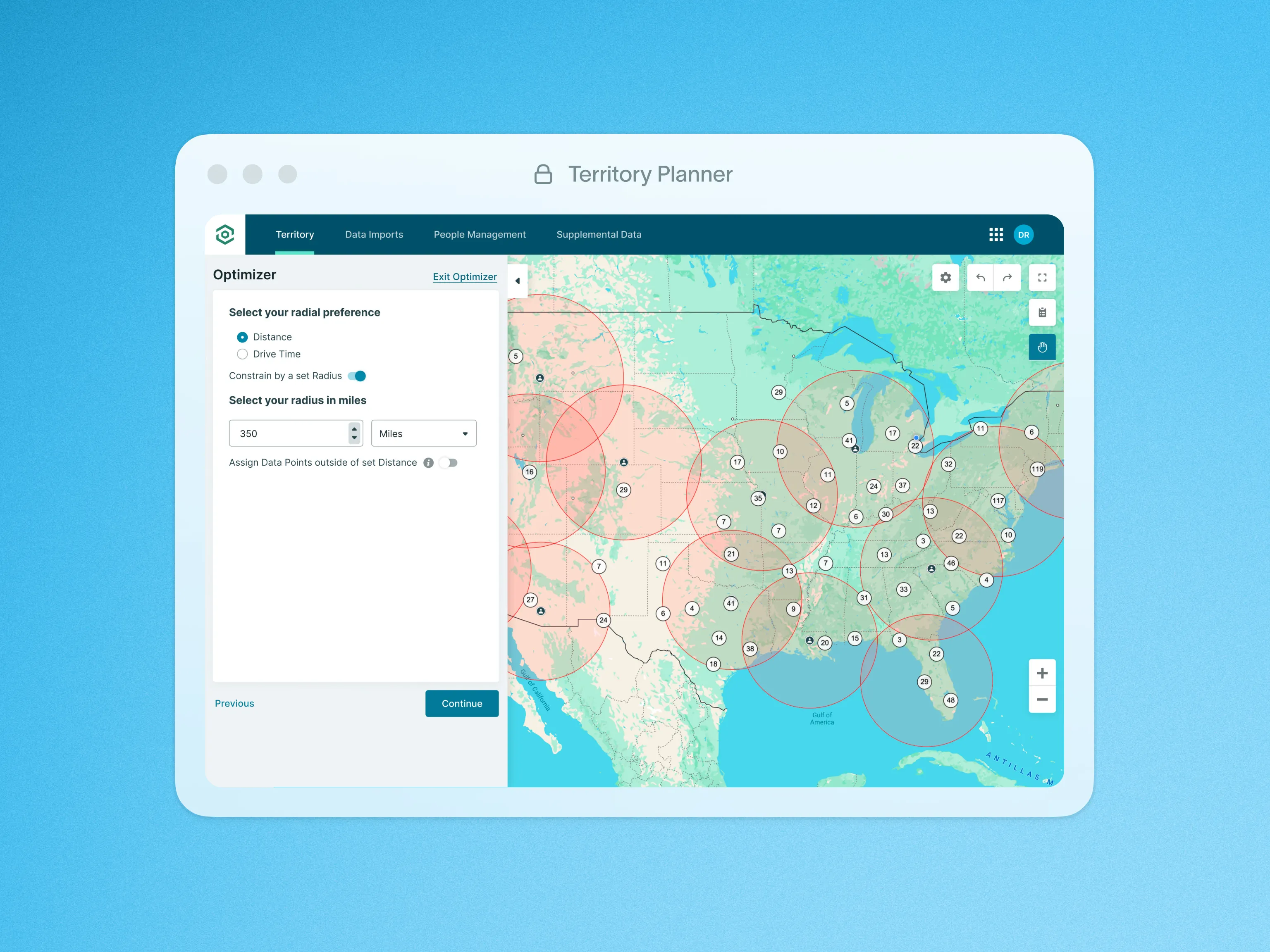
With Point of Interest Optimization in Territory Planner, you can design territories that radiate from key resources, personnel, or locations—ensuring smart, efficient coverage based on distance or drive time.
How It Works:
- Select key points of interest—such as office locations, warehouses, or team members—as the center of each territory.
- Set custom radii for each location, or let the system automatically optimize based on proximity and balance.
- Generate territories that prioritize geographic relevance while maintaining balanced record counts.
- Resolve overlaps intelligently using round-robin assignment or proximity-based logic for fair, efficient distribution.
Why You’ll Love It:
- Automate territory design around people or places that matter to your business.
- Improve rep efficiency and response times with proximity-based assignments.
- Choose your level of control—manually define parameters or let the system optimize automatically.
To learn more about Point of Interest Optimization, visit our help site.

Features