.png)



.png)



Custom Manager View
Personalize your scorecard view without changing what reps see or how they work.
Oops! Something went wrong while submitting the form.
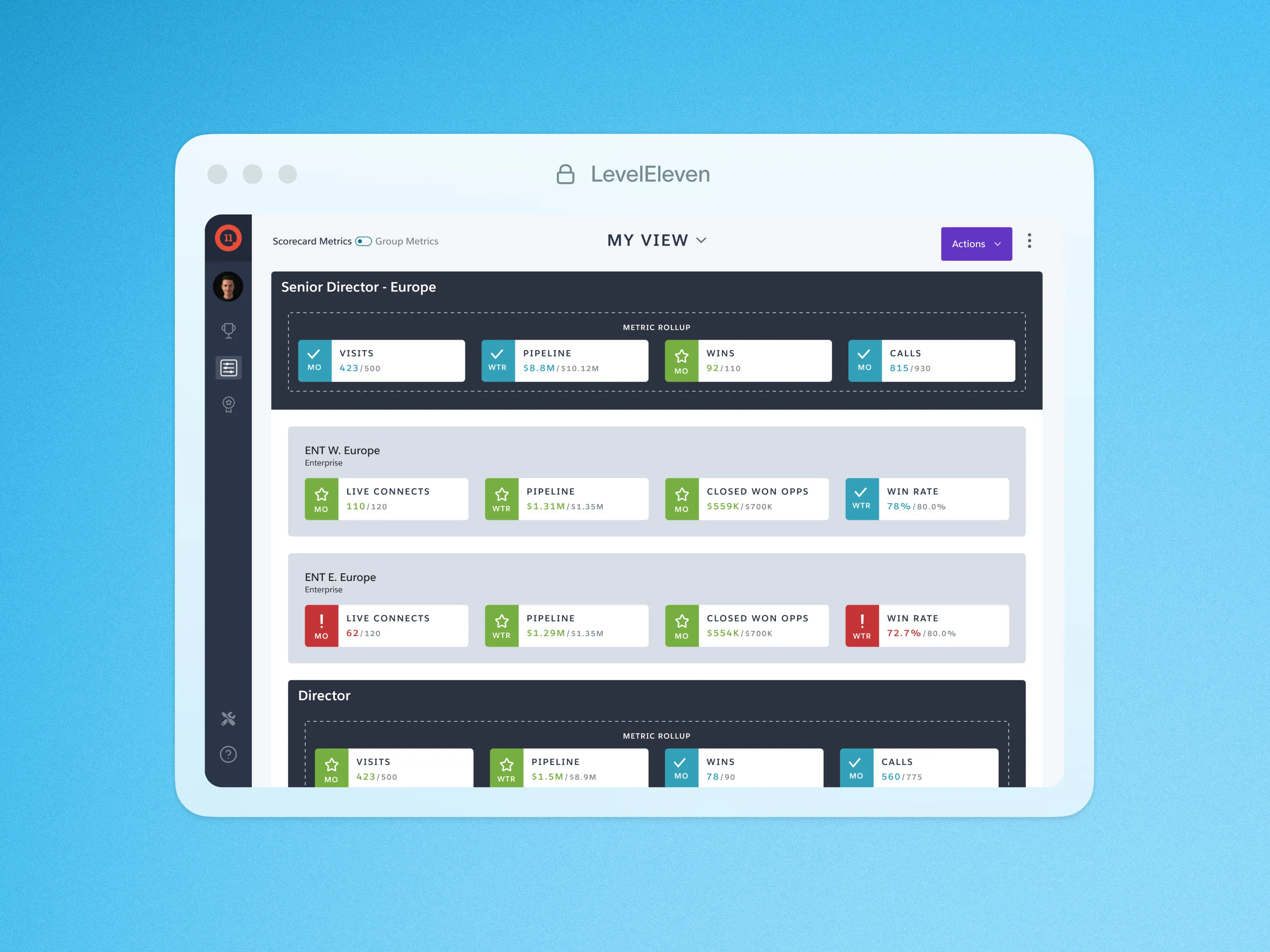
Sales leaders need quick, clear insights into team performance—but default Scorecards don’t always highlight the most relevant data. Custom Manager View gives you control, allowing you to personalize your Scorecard experience without affecting what your team sees.
Not all managers track performance the same way. Some focus on high-level trends, while others need a deep dive into specific teams. Custom Manager View lets you:
- Rearrange and prioritize Scorecards based on what’s most important to you.
- Group teams or roll up metrics for a clearer, big-picture view.
- Toggle between Scorecards and Group Metrics to analyze data faster.
How it Works:
Located in the LevelEleven tab in Salesforce, Custom Manager View allows you to:
- Create up to five custom views tailored to your leadership style.
- Favorite a view to make it your default for instant access.
- Expand or collapse teams to focus on key performance trends.

Features