


.png)



.png)



Lists
Organize accounts and prospects into working lists so planning visits and follow-ups stays simple.
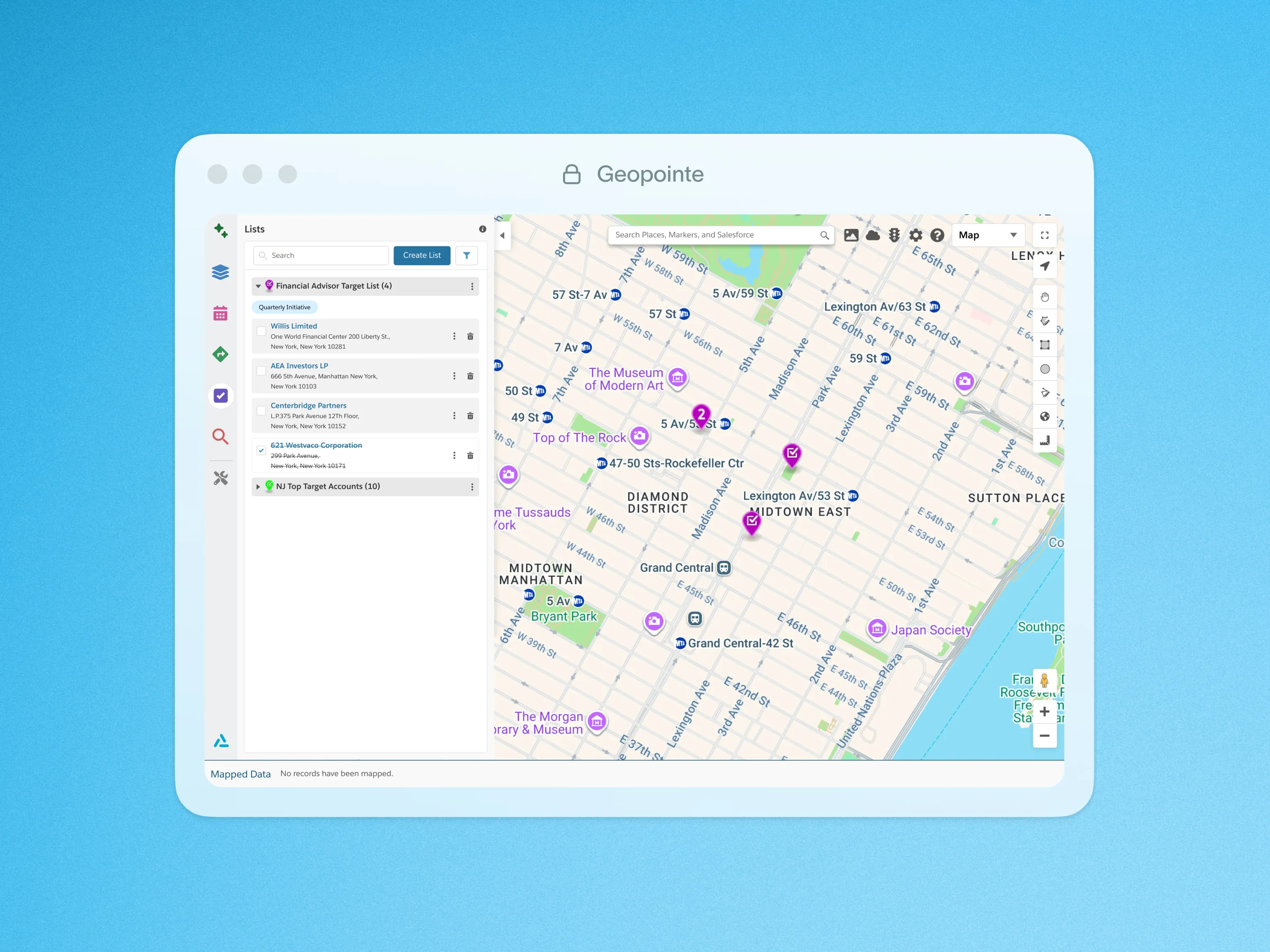
Geopointe List allows users to manage Salesforce records by organizing them into customizable lists, simplifying workflows and follow-up actions.
Admins can enable the Add to List action within Geopointe Setup, giving users the ability to easily add records to a list, though it cannot function as the primary action. Once a list is created, users can add records by simply clicking on a map marker and selecting the appropriate list. This streamlines the process of collecting and organizing records, reducing manual effort.
Actions, like Add to Route, Add to Calendar, and Add to Map, are available on individual records or entire lists, allowing users to take immediate follow-up steps directly from the list. Additionally, checkboxes can be used to mark tasks as completed, keeping everything organized and helping users stay on top of their workload.
Additionally, Users can also move seamlessly across different views while using List functionality (e.g., map, Salesforce search) without losing their place, ensuring that any additions made are automatically saved to the most recently expanded list. With support for multiple lists, users can easily manage additions to different lists, while automatic list creation ensures there’s always a place for new records.
To learn more about Geopointe Lists, visit our help site.

.webp)




