
Export your mapped results to CSV or KML file types using built-in actions.

Oops! Something went wrong while submitting the form.
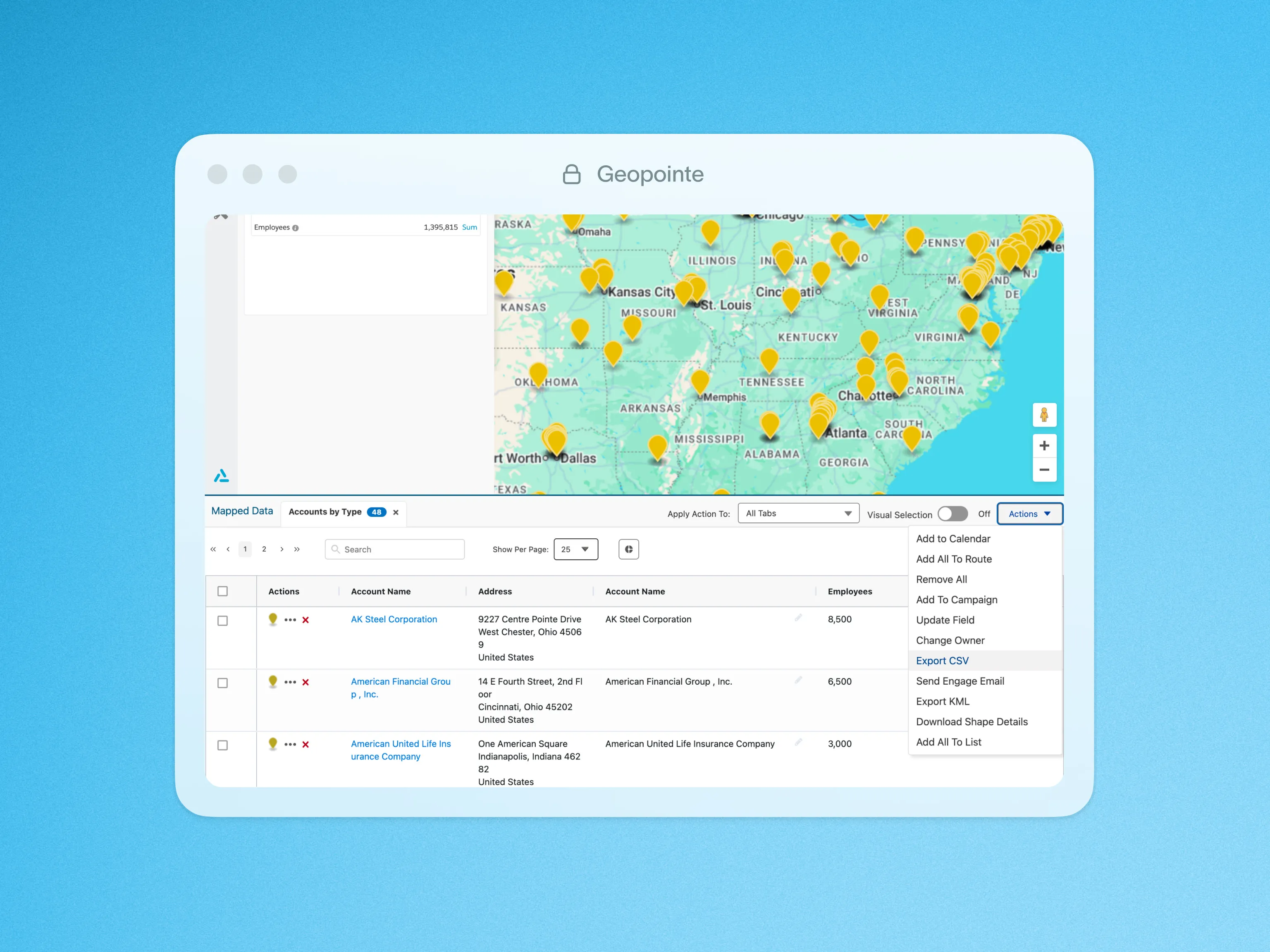
Mapped results can be exported to CSV or KML file types using built-in actions. The CSV export allows you to manipulate your results in Excel or perform full spreadsheet functions on your records.

The KML file is typically used in Google Earth or Google My Maps. It exports both your points and shapes currently visible on the map, allowing you to manipulate and share the data with your Google Earth or My Maps users.

Looking for support?

Browse our knowledge base for guides, troubleshooting, and best practices.

Visit Help Center

Ready to plan, execute, and grow?

Request a demo

Step 2

What would you like to focus on?

Select all that apply:

Thank you! Your submission has been received!
Oops! Something went wrong while submitting the form.

Step 3

Tell us a bit about you

Share a few details and a member of our team will follow up to schedule your live demo.

First name*

Last name*

Company name*

Company size*

Thank you

We’ve received your message and a member of our team will be in touch shortly.

Case Studies

See customer results

View case studies
Resources

Guides, insights & events

Browse resources
Oops! Something went wrong while submitting the form.



