


.png)



.png)



Data Table
Sort, filter, and update mapped records quickly so you can manage field activity without switching views.
Oops! Something went wrong while submitting the form.
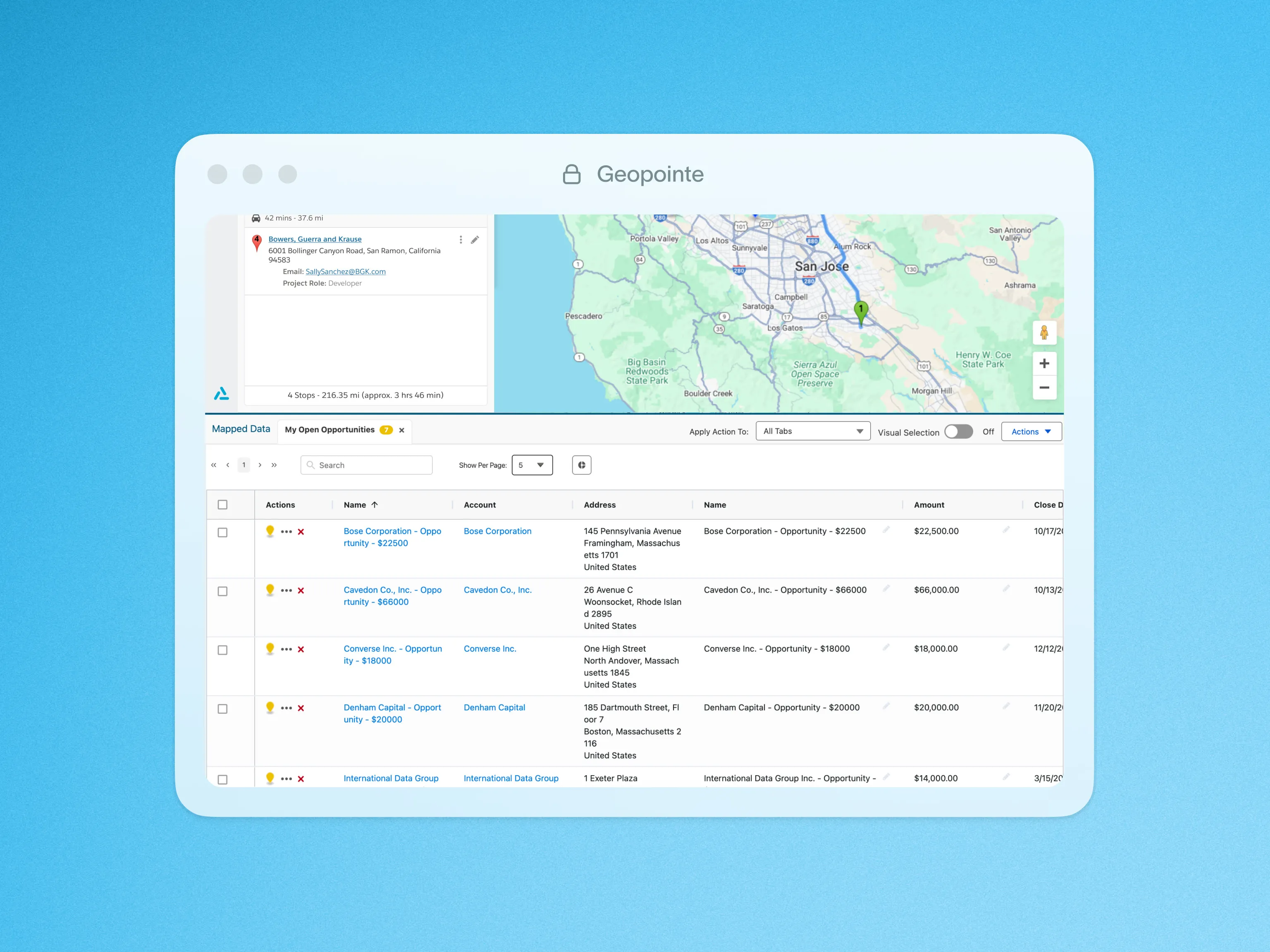
The Geopointe Data Table delivers a feature-rich and efficient user experience for managing your data. Below is a list of its features:
- Sorting: Users can now easily sort data by clicking on column headers, enabling quick and efficient data organization.
- Dataset Fields Display: All relevant dataset fields are displayed directly within the table, providing a comprehensive view of associated data.
- Inline Editing: Edit data directly within table rows, eliminating the need for separate modals and speeding up workflows.
- Hyperlinked User Fields and Lookups: User fields and lookups within the table are now hyperlinked, allowing for quick navigation and easy access to related information.
- Row Actions: Each row includes a dedicated “point action” button, giving users fast access to actions or operations specific to that row’s data.
- Select and Select All: The table features checkboxes for selecting individual rows or all rows at once, making batch operations simple and efficient.
- Charts: Enjoy a sleek new design with enhanced functionality, including support for more unique legend values, richer visual insights, and the ability to add multiple charts simultaneously, each grouped by its own unique field and chart type.

.webp)




