


.png)



.png)



Automated Assignment
Automatically assign leads and accounts by rules so ownership stays accurate as territories and priorities change.
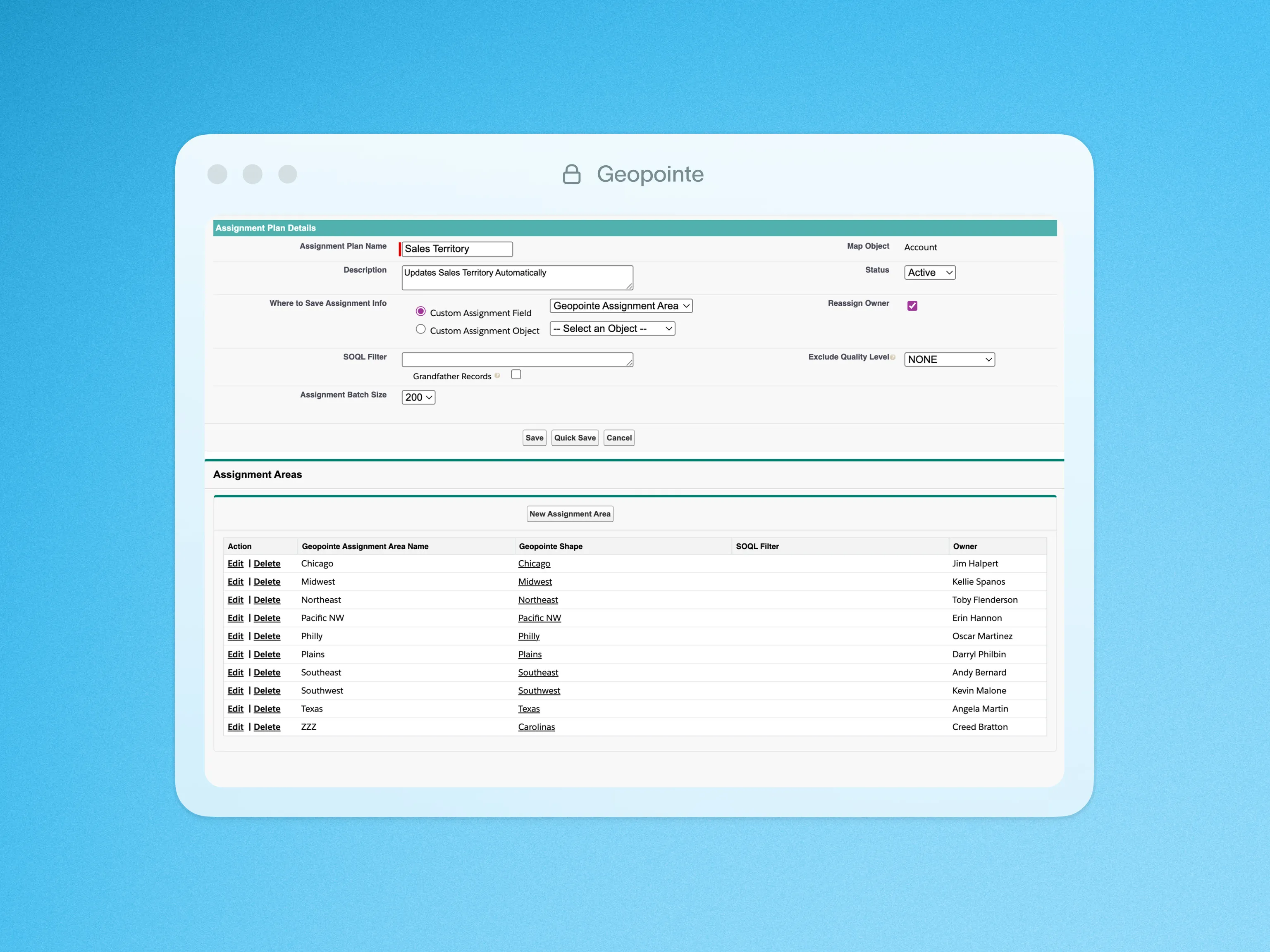
Distribute Leads or manage territory assignments with Geopointe’s Automated Assignments feature. Start by creating Assignment Areas on the map, using predefined Shape Library boundaries or by drawing your own, then set up Assignment Plan rules to define sales, service, marketing or other types of territories. With this ability to create territories on the map, Geopointe offers geographic insight and accuracy compared with traditional territory planning tools. After assignments are processed, use the results to automatically set ownership, run workflows, build reports and much more.
Assignment plans can be set up for single assignment and multiple assignments. For example, set both the territory representative and territory manager, or assign both realtors and caseworkers to each area. You can work with multiple objects, update the record owner automatically, and use other customizations to meet your organization’s needs. Every Geopointe subscription comes with 10 Assignment Areas. Additional areas can be licensed to scale to the needs of any organization.

.webp)




